The project I’m working on now ‘Electronic Exchange of Social Security Information’ is to take a European Commission (EU) solution and make it accessibility compliant. I worked on this project in its early days as a young graduate. In fact it was the first project I ever worked on as a Business Analyst. When Difrent won the outcome contract and asked me to work on it again, I was over the moon! If I was good then…. and trust me I was good then, imagine what I’ll be capable of now ;).
At the time the application was in its infancy, I was mainly working on late discovery/alpha activity, although the EU was already building some core functionality. I was fortunate to be trusted to coordinate and lead testing of the application with users in the UK, as well as a number of EU counterparts. I was reporting back weekly to the European Commission on missing functionality and defects. There’s a story there about a trip to Budapest somewhere, but we’ll leave that one for another day.
Jamie Crisp our UX designer was going to be creating v1 of a prototype and asked that I help find a relatively simple scenario to play back to the team, so he could design it. I found a good scenario for us to work with, created a low-level process map, allowing us to understand the way that the system works now and the steps that a user will be taking to complete the relevant action. Then I proudly asked ‘does this make sense?’ I was met with blank stares, I could see that without having time to digest the information, it had gone over their heads.
The team thought that the process map was valuable but asked that I overpin it with a scenario. I’ve used a number of techniques to do this in the past:
- User Stories
- Use Case Diagrams
- Prescriptive Writing
I’ve stayed away from Storyboards because I’ve always been really bad at art, at school I hated it and I’ve never really considered myself to be very creative.
However I knew that I would be asked to describe the scenario to our stakeholders in our first Show and Tell. Therefore I wanted to make it more visual, fun, interesting and engaging for them. I used an online tool called ‘storyboardthat’ and it worked really well, I discovered the creative side that I didn’t even know I had. I’ve added a link at the bottom of this blog.
When creating the storyboard it really allowed me to bring the scenario to life. I obviously already understood the interactions, as I mapped out the process behind it. This being said, I clearly didn’t understand the purpose and it wasn’t relatable until I took it up a couple of levels and produced a high level scenario. I started by creating the scenes, then dragging people into the scenes, an elderly man, an elderly lady, their son and a small child which was their grandson. I assigned names to these characters, giving them personas made the scenario more impactful. Sometimes you can get lost in ‘the way things work’ and you forget that you’re actually designing for real life people, and real life situations. Techniques like this can also serve as a much needed reminder.
Now that I had the scenes in place, and the characters in the scenes, there were only two things missing. The words that the characters were using and their body language. I added speech bubbles and had the characters talking to each other, I used short, snappy sentences that summarise the conversation these personas might be having. The tool also allows you to tweak the expressions of the characters you have in the scenes. Amongst many other things, you can have them look angry, happy, sad, you can have them shouting, laughing, or crying. Sitting or standing. Changing their expressions and their body language is powerful because it allows us, as people looking from the outside in to become empathic towards them, understand their emotions. In turn allowing us to understand our users better, and the people that are impacted by the changes, that we as projects are making.

It was the day of the Show and Tell and we had a number of stakeholders with us in person, or over skype. It was a great first Show and Tell and our products really landed well. We had great feedback and our stakeholders made positive comments about how much we understood and demonstrated in just two short weeks since mobilising a team. There were many good comments about the storyboard. It had allowed us to:
- Visually demonstrate our understanding of a particular case at a high level
- Demonstrate that we had the knowledge and skills to convert this scenario into a set of prototype screens, allowing the scenario to be passed
- Build a rapport with our new stakeholders
- Manage stakeholder expectations, proving that we can hit the ground running and aim to deliver a high quality, needs driven product
- Give everybody a bit of a laugh and something to remember
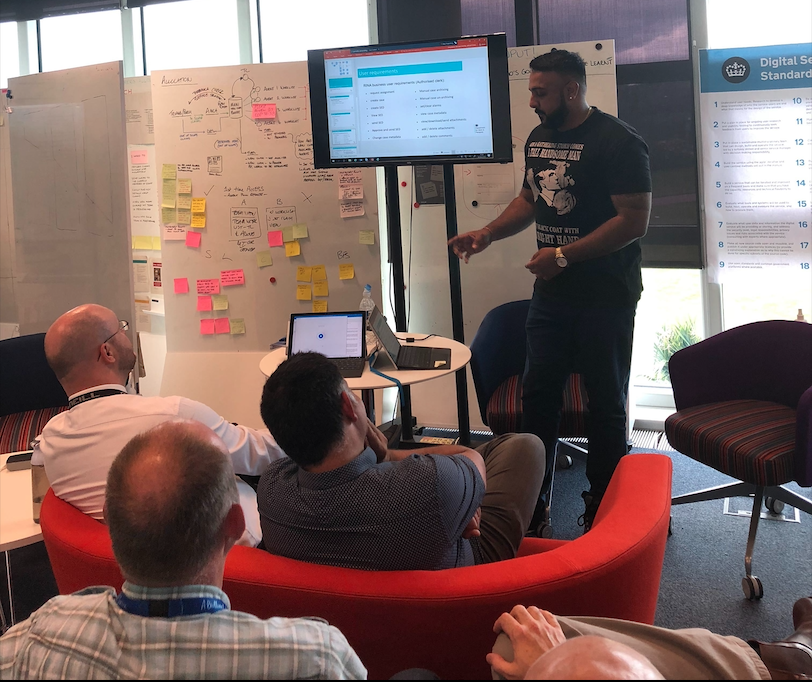
Fun Fact: I asked if the attendees wanted us to demonstrate our understanding of a more complex scenario. The Product Owner replied ‘does it have a cartoon?’ to which I said ‘no’, he told me ‘I’m not interested then’ lol!
I’m now based in Blackpool where my fan base continues to extend #ForTheFans
I created the Storyboards using the following website: https://www.storyboardthat.com/
 Charan's Blogs
1 thought on “Bringing scenarios to life using ‘Storyboards’.”
Comments are closed.